Copied from : https://github.com/ZeroLu/awesome-nanobanana-pro
1. Photorealism & Aesthetics
Optimize your visual output with these high-fidelity prompts. These are designed to utilize the model's ability to render complex lighting, textures, and specific eras.
1.1. Hyper-Realistic Crowd Composition
Handling complex compositions with multiple famous faces and specific lighting. 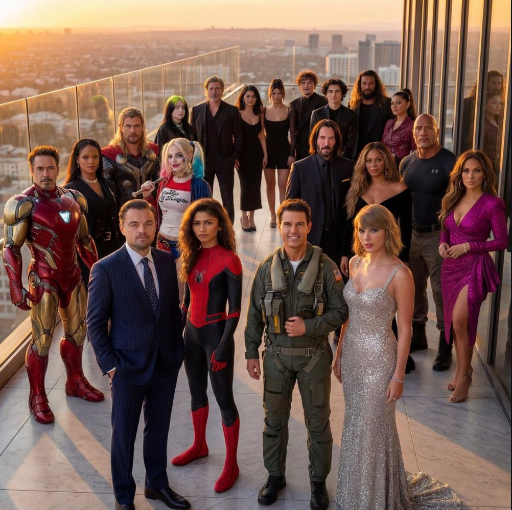
Prompt:
Create a hyper-realistic, ultra-sharp, full-color large-format image featuring a massive group of celebrities from different eras, all standing together in a single wide cinematic frame. The image must look like a perfectly photographed editorial cover with impeccable lighting, lifelike skin texture, micro-details of hair, pores, reflections, and fabric fibers.

GENERAL STYLE & MOOD: Photorealistic, 8k, shallow depth of field, soft natural fill light + strong golden rim light. High dynamic range, calibrated color grading. Skin tones perfectly accurate. Crisp fabric detail with individual threads visible. Balanced composition, slightly wide-angle lens (35mm), center-weighted. All celebrities interacting naturally, smiling, posing, or conversing. Minimal background noise, but with enough world-building to feel real.

THE ENVIRONMENT: A luxurious open-air rooftop terrace at sunset overlooking a modern city skyline. Elements include: Warm golden light wrapping around silhouettes. Polished marble.
Source: @SebJefferies
1.2. One-Click Business Photo (Silicon Valley Style)
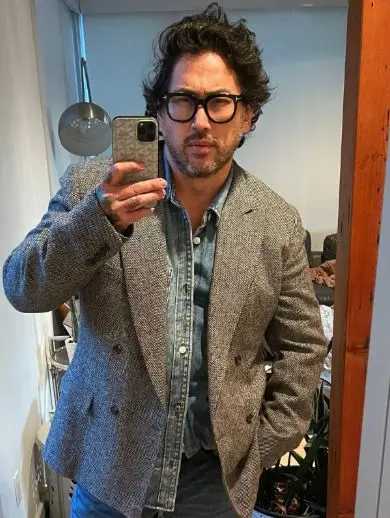
Transforms casual photos into professional studio headshots using specific lens and lighting instructions.

Prompt:
Keep the facial features of the person in the uploaded image exactly consistent . Dress them in a professional navy blue business suit with a white shirt, similar to the reference image. Background : Place the subject against a clean, solid dark gray studio photography backdrop . The background should have a subtle gradient , slightly lighter behind the subject and darker towards the edges (vignette effect). There should be no other objects. Photography Style : Shot on a Sony A7III with an 85mm f/1.4 lens , creating a flattering portrait compression. Lighting : Use a classic three-point lighting setup . The main key light should create soft, defining shadows on the face. A subtle rim light should separate the subject's shoulders and hair from the dark background. Crucial Details : Render natural skin texture with visible pores , not an airbrushed look. Add natural catchlights to the eyes . The fabric of the suit should show a subtle wool texture.Final image should be an ultra-realistic, 8k professional headshot.
Source: WeChat Article
1.3. Emotional Film Photography
Creates a cinematic, nostalgic "Kodak Portra" look while maintaining facial consistency.


Prompt:
Keep the facial features of the person in the uploaded image exactly consistent . Style : A cinematic, emotional portrait shot on Kodak Portra 400 film . Setting : An urban street coffee shop window at Golden Hour (sunset) . Warm, nostalgic lighting hitting the side of the face. Atmosphere : Apply a subtle film grain and soft focus to create a dreamy, storytelling vibe. Action : The subject is looking slightly away from the camera, holding a coffee cup, with a relaxed, candid expression. Details : High quality, depth of field, bokeh background of city lights.
Source: WeChat Article
2. Creative Experiments
Prompts focused on pushing the boundaries of composition, crowd generation, minimalism, and temporal consistency.
2.1. Star Wars "Where's Waldo"
A complex prompt testing the model's ability to handle dense crowds and specific character recognition. 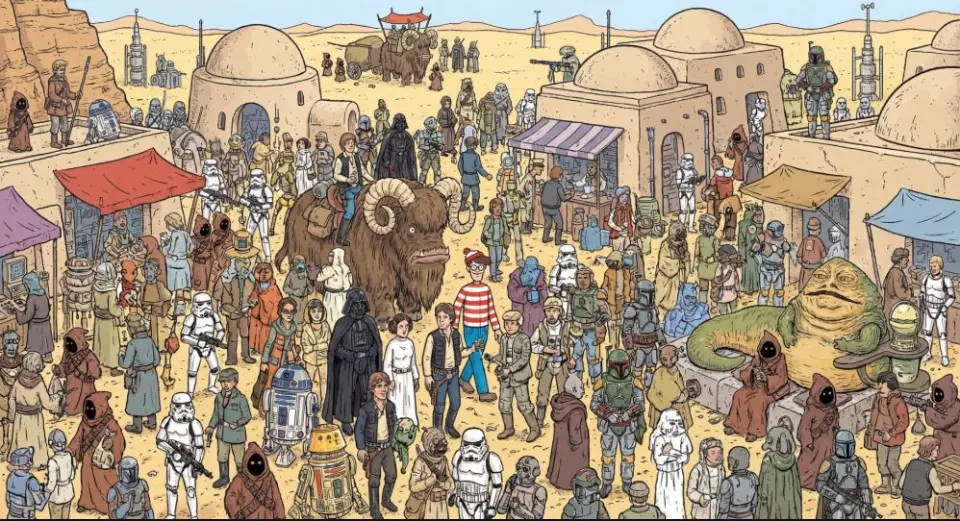
Prompt:
A where is waldo image showing all Star Wars characters on Tatooine

First one to pull this off. First take. Even Waldo is there.
Source: @creacas
2.2. Aging Through the Years
Demonstrates temporal consistency and aging effects on a single subject. 
Prompt:
"Generate the holiday photo of this person through the ages up to 80 years old"
Source: @dr_cintas
2.3. Recursive Visuals
Demonstrates the model's ability to handle infinite loop logic (Droste effect). 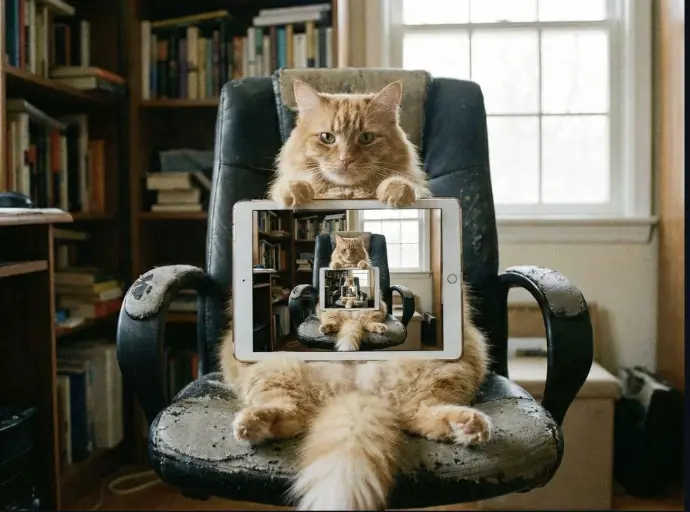
Prompt:
recursive image of an orange cat sitting in an office chair holding up an iPad. On the iPad is the same cat in the same scene holding up the same iPad. Repeated on each iPad.
Source: @venturetwins
2.4. Coordinate Visualization
Generates a specific location and time based purely on latitude/longitude coordinates. 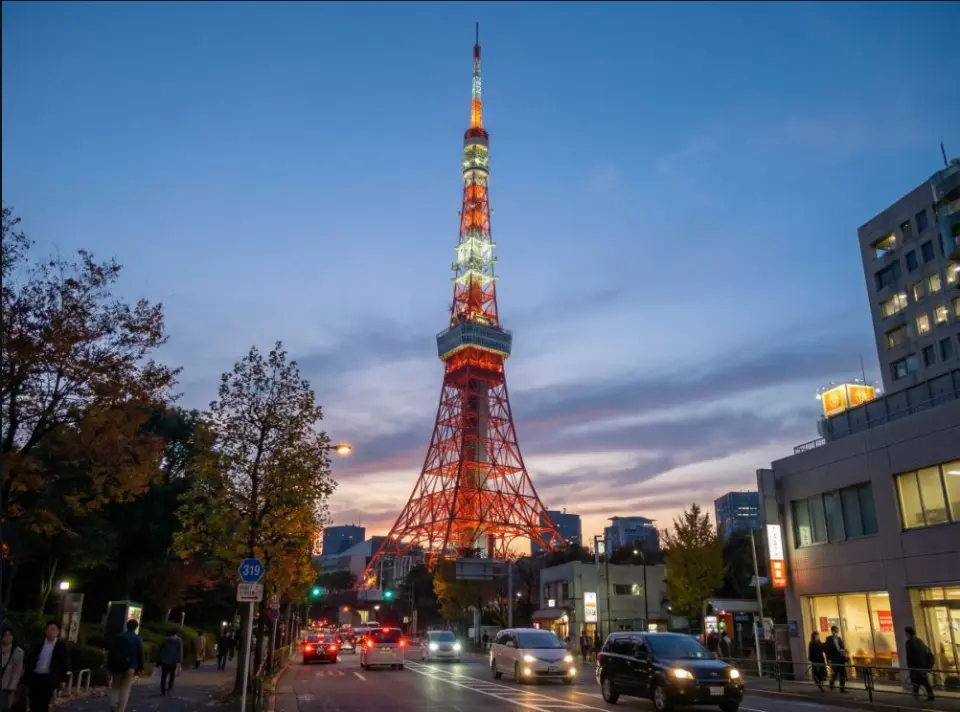
Prompt:
35.6586° N, 139.7454° E at 19:00
Source: Replicate
2.5. Conceptual Visualization
Interpretative rendering of how a specific group (engineers) visualizes a landmark. 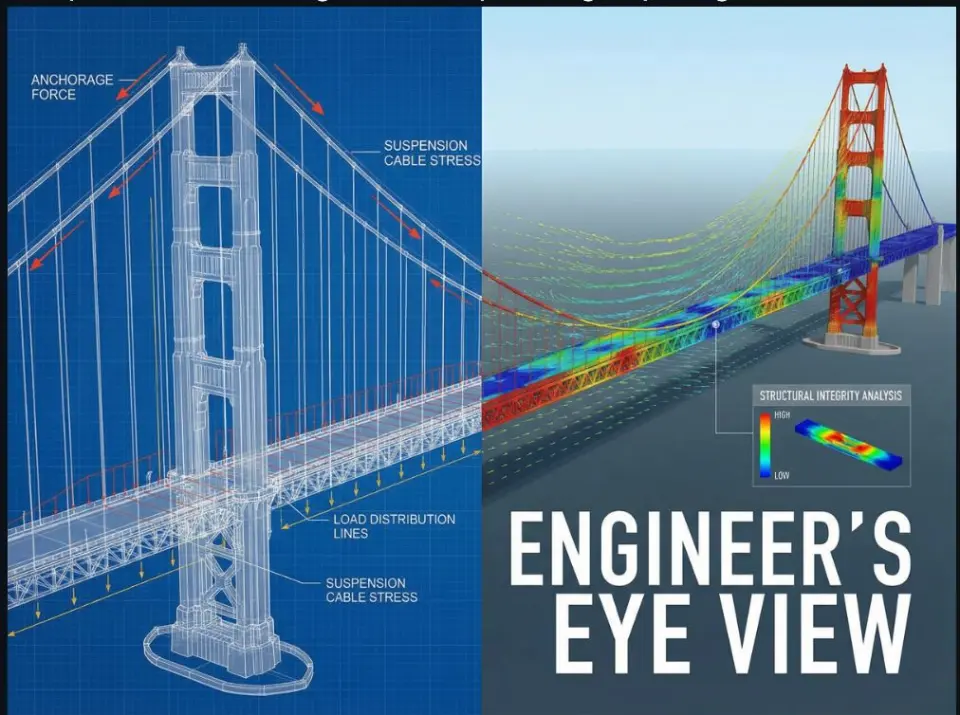
Prompt:
How engineers see the San Francisco Bridge
Source: Replicate
2.6. Literal Interpretation
Interprets a filename as a visual subject.
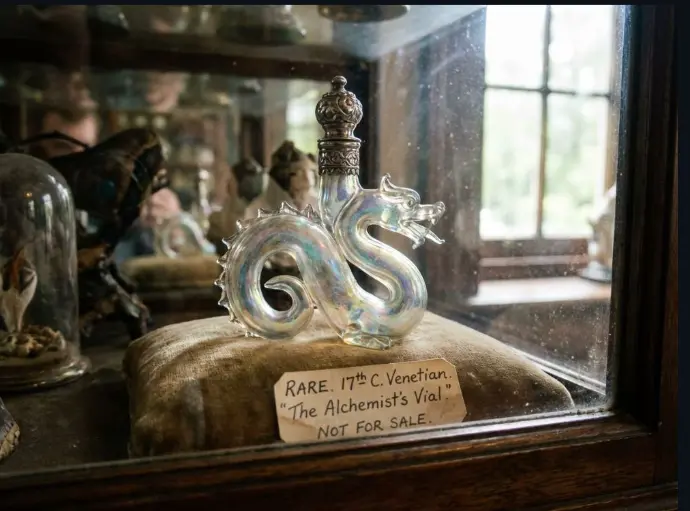
Prompt:
rare.jpg
Source: Replicate
2.7. Multi-Subject Compositing
Combines multiple input portraits into a single cohesive group photo with a specific expression.
| Input References | Generated Output |
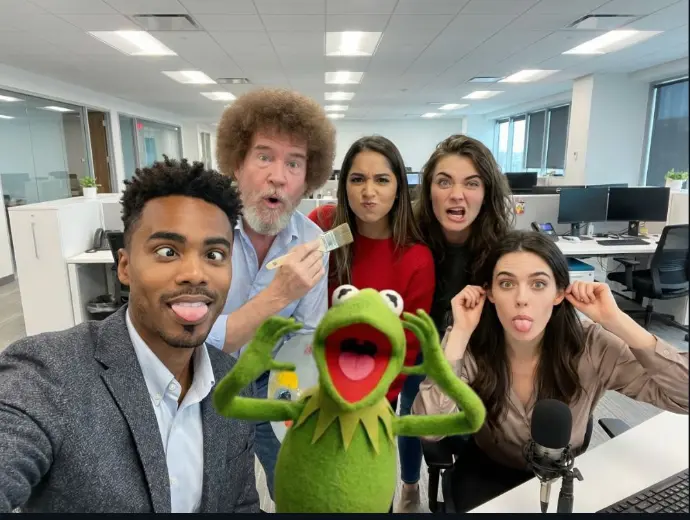 |
Prompt:
an office team photo, everyone making a silly face
Source: Replicate
2.8. Whiteboard Marker Art
Simulating specific drawing media (faded marker) on glass textures. 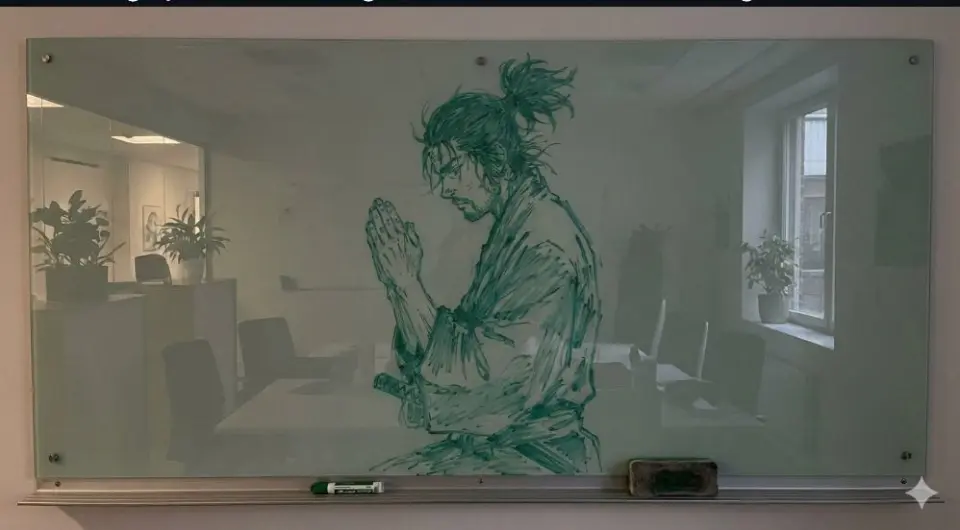
Prompt:
Create a photo of vagabonds musashi praying drawn on a glass whiteboard in a slightly faded green marker
Source: @nicdunz
3. Education & Knowledge
3.1. Concept Visualization (Text to Infographic)
Converts textual concepts into clear, educational vector illustrations. 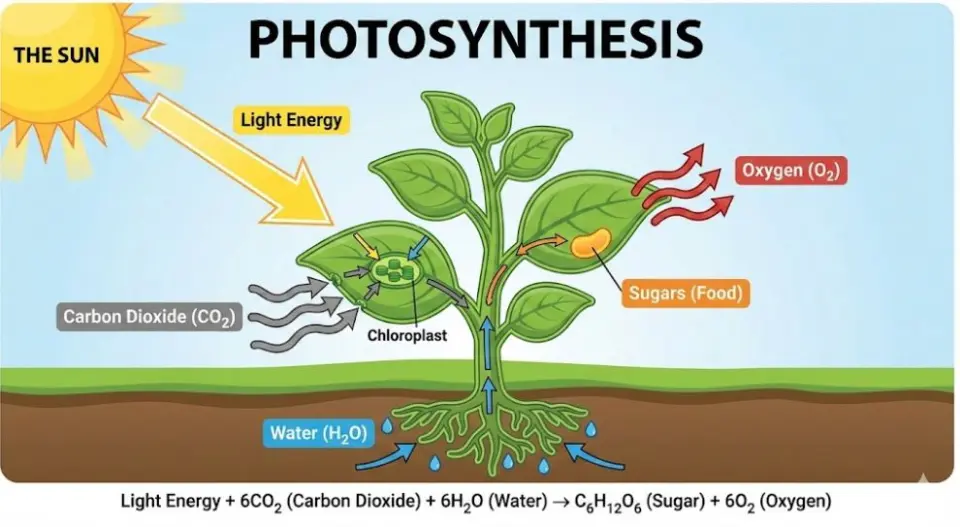
Prompt:
Create an educational infographic explaining [Photosynthesis] . Visual Elements : Illustrate the key components: The Sun, a green Plant, Water (H2O) entering roots, Carbon Dioxide (CO2) entering leaves, and Oxygen (O2) being released. Style : Clean, flat vector illustration suitable for a high school science textbook. Use arrows to show the flow of energy and matter. Labels : Label each element clearly in English .
(Translation: 生成[光合作用]的教育信息图。视觉元素:太阳、植物、水入根、CO2入叶、O2释放。风格:适合高中课本的扁平矢量插图,用箭头显示流动。标签:用简体中文清晰标注。) Source: WeChat Article
4. E-commerce & Virtual Studio
4.1. Virtual Model Try-On
Dresses a model in a specific garment while preserving fabric texture and lighting integration.
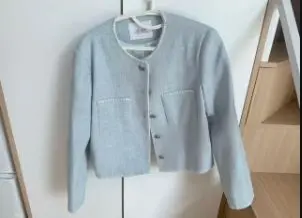
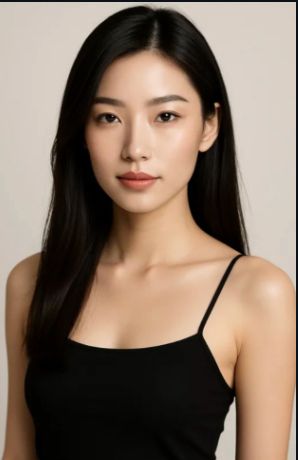
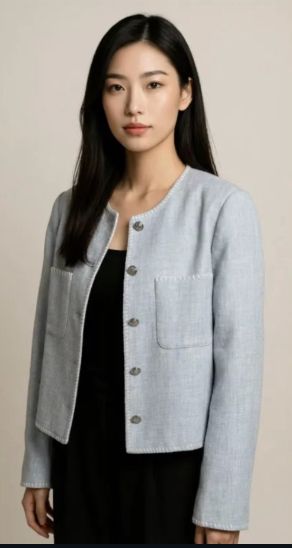
Prompt:
Using Image 1 (the garment) and Image 2 (the model), create a hyper-realistic full-body fashion photo where the model is wearing the garment. Crucial Fit Details : The [T-shirt/Jacket] must drape naturally on the model's body, conforming to their posture and creating realistic folds and wrinkles . High-Fidelity Preservation : Preserve the original fabric texture, color, and any logos from Image 1 with extreme accuracy. Seamless Integration : Blend the garment into Image 2 by perfectly matching the ambient lighting, color temperature, and shadow direction . Photography Style : Clean e-commerce lookbook, shot on a Canon EOS R5 with a 50mm f/1.8 lens for a natural, professional look.
Source: WeChat Article
4.2. Professional Product Photography
Isolates products from messy backgrounds and places them in a high-end commercial studio setting. 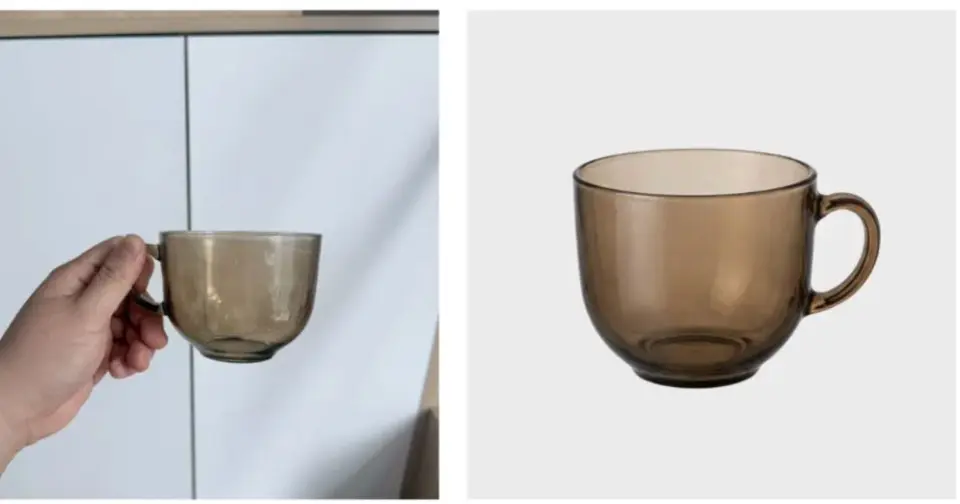
Prompt:
Identify the main product in the uploaded photo (automatically removing any hands holding it or messy background details). Recreate it as a premium e-commerce product shot . Subject Isolation : Cleanly extract the product, completely removing any fingers, hands, or clutter . Background : Place the product on a pure white studio background (RGB 255, 255, 255) with a subtle, natural contact shadow at the base to ground it. Lighting : Use soft, commercial studio lighting to highlight the product's texture and material. Ensure even illumination with no harsh glare. Retouching : Automatically fix any lens distortion, improve sharpness, and color-correct to make the product look brand new and professional .
Source: WeChat Article
5. Workplace & Productivity
5.1. Hand-drawn Flowchart to Corporate Charts
Converts whiteboard sketches into clear, "McKinsey-style" vector presentations. 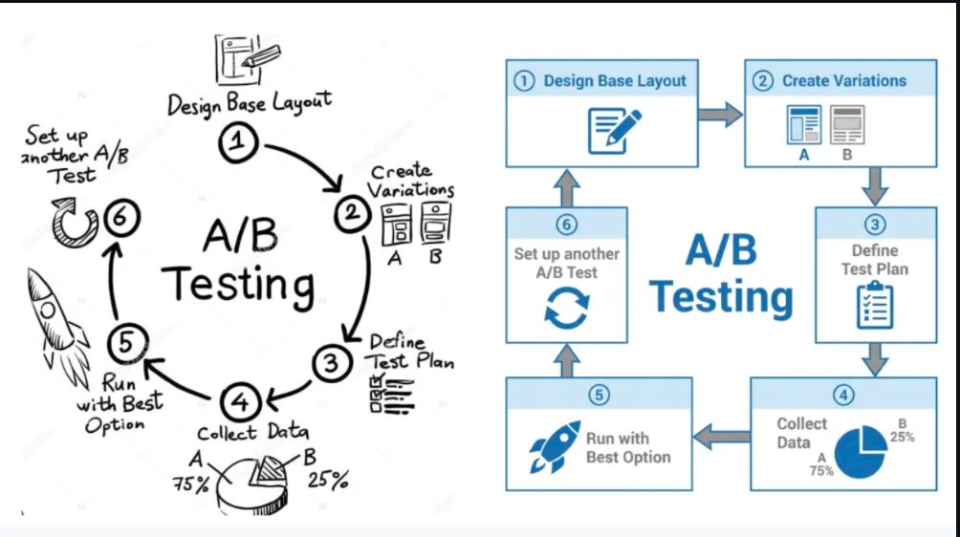
Prompt:
Convert this hand-drawn whiteboard sketch into a professional corporate flowchart suitable for a business presentation. Style Guide : Use a minimalist 'McKinsey-style' aesthetic : clean lines, ample whitespace, and a sophisticated blue-and-gray color palette. Structure : Automatically align all boxes and diamonds to a strict grid . Connect them with straight, orthogonal arrows (90-degree angles only, no curvy lines). Text : Transcribe the handwritten labels into a clear, bold Sans-Serif font (like Arial or Roboto). Output : High-resolution vector-style image on a pure white background.
Source: WeChat Article
5.2. UI Hand-drawn Sketch to High-Fidelity Prototype
Transforms wireframe scribbles into realistic mobile app mockups. 
Prompt:
Transform this rough wireframe sketch into a high-fidelity UI design mockups for a mobile app. Design System : Apply a modern, clean aesthetics similar to iOS 18 or Material Design 3 . Use rounded corners, soft drop shadows, and a vibrant primary color. Components : Intelligently interpret the sketch: turn scribbles into high-quality placeholder images , convert rough rectangles into proper buttons with gradients , and turn lines into realistic text blocks . Layout : Ensure perfect padding and consistent spacing between elements. Context : Place the design inside a realistic iPhone 16 frame mockups.
Source: WeChat Article
5.3. Magazine Layout Generator
Perfect for visualizing articles in print format with complex typography. 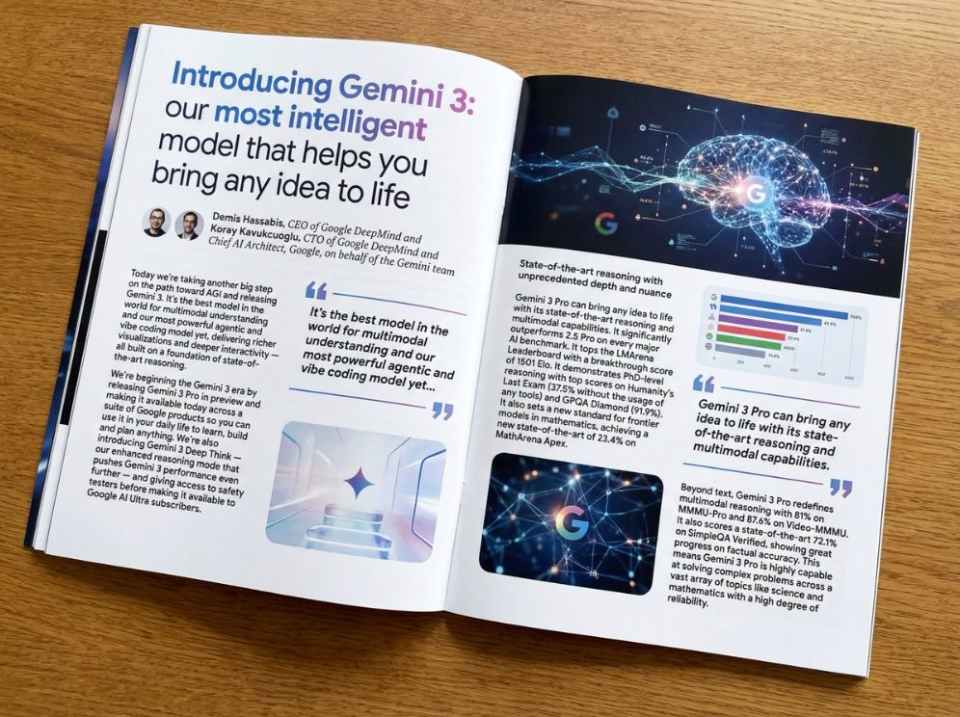
Prompt:
Put this whole text, verbatim, into a photo of a glossy magazine article on a desk, with photos, beautiful typography design, pull quotes and brave formatting. The text: [...the unformatted article]
Source: @fofrAI
6. Photo Editing & Restoration
6.1. Composition Rescue (Smart Outpainting)
Expands image ratios (e.g., to 16:9) by intelligently generating matching scenery. 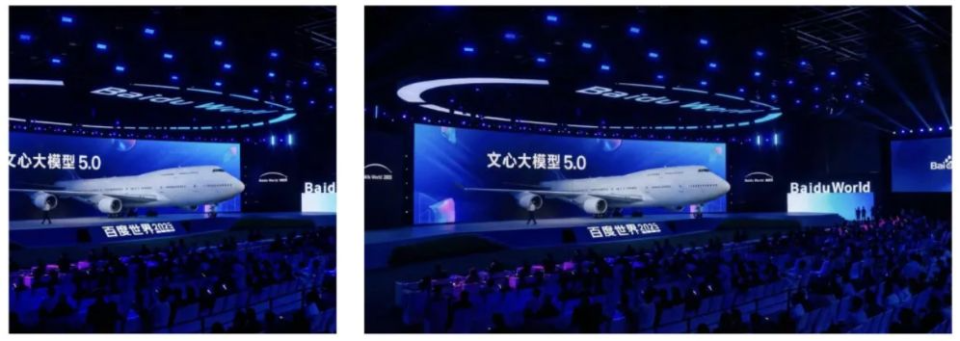
Prompt:
Zoom out and expand this image to a 16:9 aspect ratio (computer wallpaper size). Context Awareness : Seamlessly extend the scenery on both left and right sides. Match the original lighting, weather, and texture perfectly. Logical Completion : If there are cut-off objects (like a shoulder, a tree branch, or a building edge) on the borders, complete them naturally based on logical inference. Do not distort the original center image.
Source: WeChat Article
6.2. Smart Crowd Removal
Removes unwanted people from backgrounds and fills the space with logical textures. 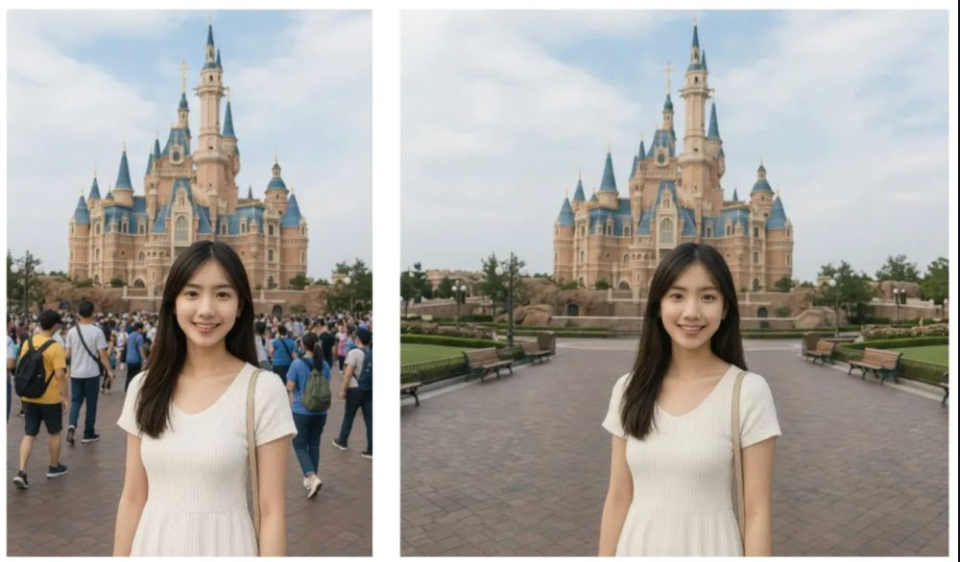
Prompt:
Remove all the tourists/people in the background behind the main subject. Intelligent Fill : Replace them with realistic background elements that logically fit the scene (e.g., extend the cobblestone pavement, empty park benches, or grass textures). Consistency : Ensure no blurry artifacts or 'smudges' remain. The filled area must have the same grain, focus depth, and lighting as the rest of the photo.
Source: WeChat Article
7. Interior Design
7.1. Hard Furnishing Preview (Floor Plan to Design)
Generates a complete design presentation board including perspective views and 3D floor plans from a simple 2D map.
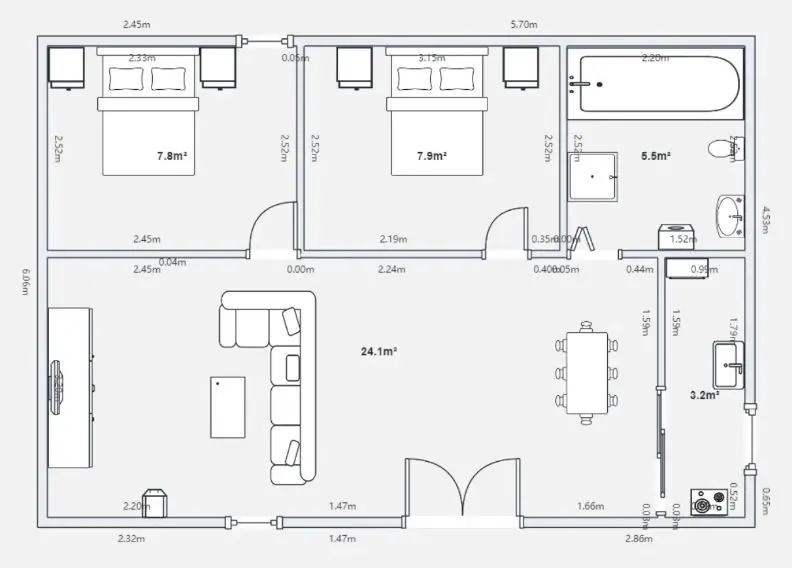
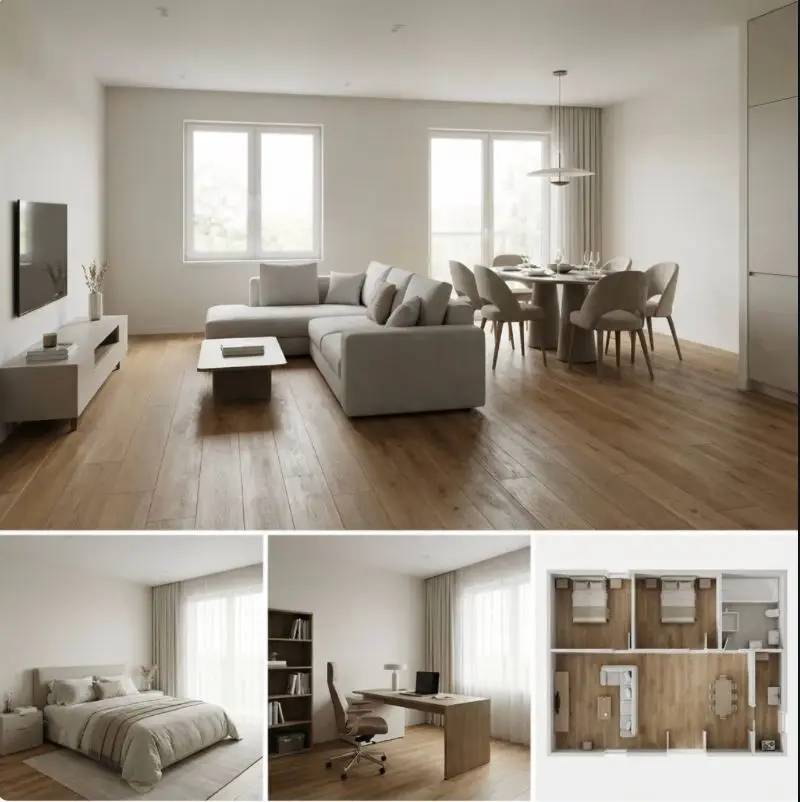
Prompt:
Based on the uploaded 2D floor plan, generate a professional interior design presentation board in a single image. Layout : The final image should be a collage with one large main image at the top, and several smaller images below it. Content of Each Panel :
1. Main Image (Top) : A wide-angle perspective view of the main living area , showing the connection between the living room and dining area.
2. Small Image (Bottom Left) : A view of the Master Bedroom , focusing on the bed and window.
3. Small Image (Bottom Middle) : A view of the Home Office / Study room .
4. Small Image (Bottom Right) : A 3D top-down floor plan view showing the furniture layout. Overall Style : Apply a consistent Modern Minimalist style with warm oak wood flooring and off-white walls across ALL images. Quality : Photorealistic rendering, soft natural lighting.
Source: WeChat Article
8. Social Media & Marketing
8.1. Viral Cover Image (Youtube/Douyin/TikTok)
Creates engaging thumbnails with text overlays, exaggerated expressions, and bright graphics.
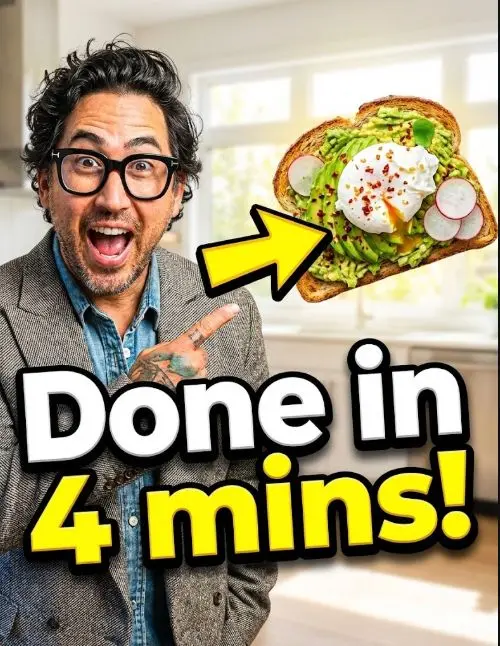
Prompt:
Design a viral video thumbnail using the person from Image 1. Face Consistency : Keep the person's facial features exactly the same as Image 1 , but change their expression to look excited and surprised . Action : Pose the person on the left side, pointing their finger towards the right side of the frame. Subject : On the right side, place a high-quality image of [a delicious avocado toast]. Graphics : Add a bold yellow arrow connecting the person's finger to the toast. Text : Overlay massive, pop-style text in the middle: '3分钟搞定!' (Done in 3 mins!). Use a thick white outline and drop shadow. Background : A blurred, bright kitchen background. High saturation and contrast.
Source: WeChat Article
8.2. Commercial Promotional Poster
Designs professional sales posters with integrated text and high-quality product photography. 
Prompt:
Design a professional promotional poster for a [Coffee Shop]. Composition : A cinematic close-up of a steaming cup of cappuccino on a rustic wooden table, autumn leaves in the background (cozy atmosphere). Text Integration :
1. Main Title : 'Autumn Special' written in elegant, gold serif typography at the top.
2. Offer : 'Buy One Get One Free' clearly displayed in a modern badge or sticker style on the side.
3. Footer : 'Limited Time Only' in small, clean text at the bottom. Quality : Ensure all text is perfectly spelled, centered, and integrated into the image's depth of field.
Source: WeChat Article
9. Daily Life & Translation
9.1. Physical Store/Travel Translation
Translates menus or signs while preserving the original surface texture (wall, paper, grease).
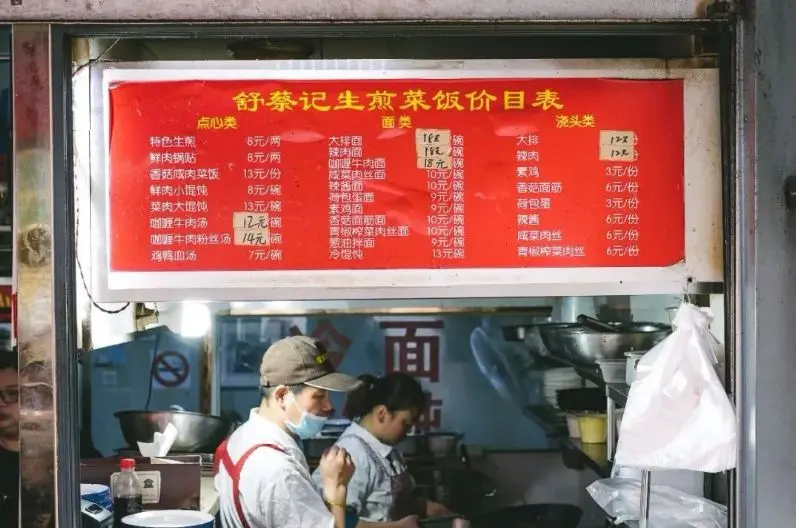
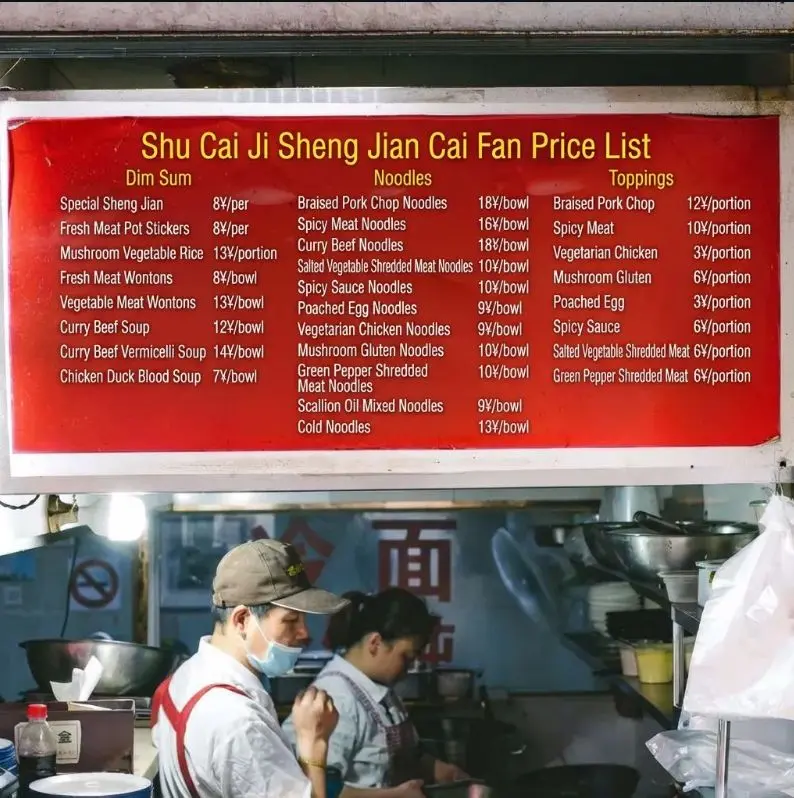
Prompt:
Translate the Chinese dish names on the wall menu into English for foreign tourists. Texture Preservation : Crucial! Maintain the original aged, greasy, and textured look of the wall/paper. The new English text should look like it was written/printed on the same surface, with slight fading or wear to match. Currency : Keep the '¥' symbol and price numbers exactly as they are ; do not convert currency. Layout : align the English translations next to or replacing the Chinese characters naturally.
Source: WeChat Article
9.2. Digital Content Localization (Comics/Memes)
Translates comics or memes by scrubbing text bubbles and replacing content with matching fonts. 
Prompt:
Translate the text in the speech bubbles/captions from [Japanese/English] to [Chinese]. Seamless Cleaning : Erase the original text and perfectly fill the background (e.g., the white speech bubble or the colored image background). Style Matching : Render the translated Chinese text using a casual, handwritten-style font (or bold impact font for memes) that matches the aesthetic of the original image. Fit : Ensure the text fits naturally within the bubbles without overcrowding.
Source: WeChat Article
10. Social Networking & Avatars
10.1. 3D Blind Box Style Avatar
Converts portraits into cute, C4D-style "Pop Mart" toy characters.

Prompt:
Transform the person in the uploaded photo into a cute 3D Pop Mart style blind box character . Likeness : Keep key features recognizable: [hair color, glasses, hairstyle]. Style : C4D rendering, occlusion render, cute Q-version , soft studio lighting, pastel colors. Background : A simple, solid matte color background (e.g., soft blue). Detail : The character should have a smooth, plastic toy texture with a slight glossy finish. Facing forward, friendly expression.
Source: WeChat Article
10.2. Pet Meme Creation
Turns pet photos into minimalist, hand-drawn funny stickers.

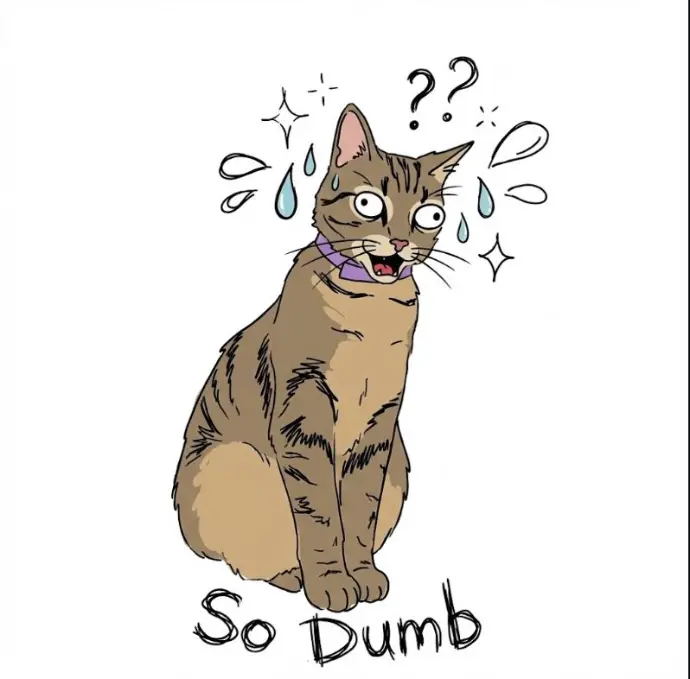
Prompt:
Turn this photo of my [cat/dog] into a funny hand-drawn WeChat sticker . Style : Minimalist ugly-cute line drawing (doodle style). White background. Expression : Exaggerate the animal's expression to look extremely shocked/judgemental/lazy (based on photo). Accessories : Add cute little doodles like sweat drops, question marks, or sparkles around the head. Text : Add handwritten text at the bottom: 'So Dumb'. Ensure the text style is messy and funny.
Source: WeChat Article