
More teams are choosing Rust for new services, command-line tools and the parts of a system that have to be fast and safe. Many developers now meet Rust through an AI assistant: they ask for a feature, get a few hundred lines that compile, and ship them. That works until something breaks, a reviewer asks a question, or the compiler rejects a small change and the error message reads like a riddle.
This is part 1 of a series on Rust for developers who come from Python or JavaScript. It covers the ideas you need to read Rust with confidence: what the symbols mean, why the compiler complains, and what to check in code an AI wrote for you. Later parts will go deeper into error handling, async code and building real projects.
Every example below was compiled and run with Rust 1.93 (edition 2024). You can paste any of them into the Rust Playground and run it in your browser without installing anything.

Setting up and using Cargo
Install Rust with rustup from the official install page. It gives you the compiler, Cargo (Rust's build tool and package manager, like pip or npm) and two tools you'll use a lot: Clippy and rustfmt.
cargo new my_app        # creates Cargo.toml and src/main.rs
cd my_app
cargo run               # compiles and runs
cargo build --release   # an optimised build for production
cargo test              # runs the tests
cargo fmt               # formats the code
cargo clippy            # catches common mistakes
Cargo.toml plays the role of requirements.txt or package.json. Libraries are called crates and come from crates.io. The file Cargo.lock records the exact versions you built with, so commit it to your repository.
Variables, mut and shadowing
Variables are created with let and can't change unless you add mut. Rust works out most types on its own, and you can write the type after a colon when you want to be explicit or when Rust can't guess.
fn main() {
    let name = "Lina"; // type inferred: &str
    let mut count = 0; // mut: this one can change
    count += 1;

    let price: f64 = 19.5; // type written out
    let input = "42"; // a &str
    let input: u32 = input.parse().unwrap(); // shadowing: a new `input`, now a number

    println!("{name} {count} {price} {}", input + 1);
}
The second let input isn't a mistake. It's called shadowing: a new variable with the same name, here a number made from the text. AI-written code uses it a lot when it converts values. Forget mut and the compiler stops you:
error[E0384]: cannot assign twice to immutable variable `count`
 --> e1_immutable.rs:3:5
  |
2 |     let count = 0;
  |         ----- first assignment to `count`
3 |     count += 1;
  |     ^^^^^^^^^^ cannot assign twice to immutable variable
  |
help: consider making this binding mutable
  |
2 |     let mut count = 0;
  |         +++
Read Rust errors from the top. The first line gives the error code and the problem, the arrows point at the lines involved, and the help section often contains the fix. For any code, rustc --explain E0384 prints a full explanation with examples.
Ownership: every value has one owner
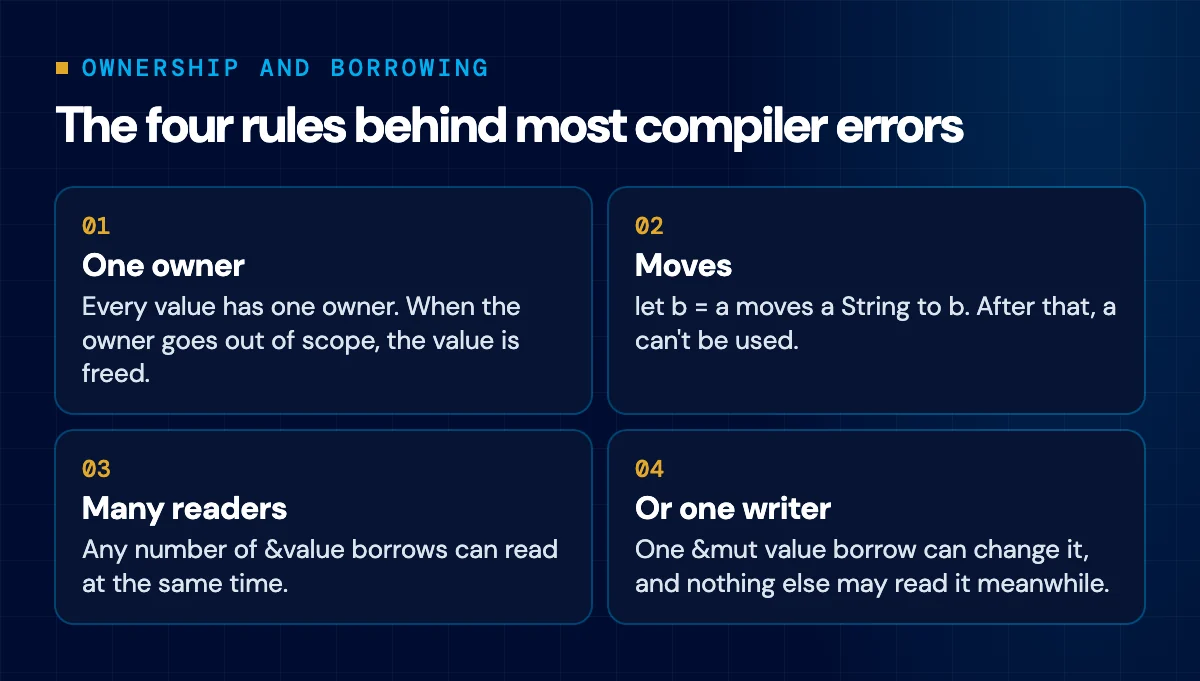
This is the idea that makes Rust different from Python and JavaScript. There's no garbage collector. Each value has a single owner, and when the owner goes out of scope the memory is freed. Assigning a String to another variable moves it, and the old name can't be used any more.
fn main() {
    let a = String::from("invoice-001");
    let b = a; // the String moves to b; a can't be used any more
    println!("{b}");

    let c = b.clone(); // a real copy of the text
    println!("{b} {c}");

    let x = 5;
    let y = x; // numbers are Copy: x is still usable
    println!("{x} {y}");
}
Small values such as numbers and booleans are copied instead of moved, which is why x still works. In Python, b = a gives you two names for the same object. In Rust the first name stops being valid, and using it is an error:
error[E0382]: borrow of moved value: `a`
 --> e2_moved.rs:4:13
  |
2 |     let a = String::from("invoice-001");
  |         - move occurs because `a` has type `String`, which does not implement the `Copy` trait
3 |     let b = a;
  |             - value moved here
4 |     let n = a.len();
  |             ^ value borrowed here after move
  |
help: consider cloning the value if the performance cost is acceptable
  |
3 |     let b = a.clone();
  |              ++++++++
Look at the help at the bottom. The compiler suggests .clone(), and an AI assistant fixing errors one by one will often accept that suggestion. That's how Rust written by AI ends up full of clones: it compiles, but it copies data it only needed to read. Borrowing, in the next section, is usually the better fix.
Borrowing: & and &mut
Most of the time you don't want to give a value away, you want to lend it. &value lends it for reading and &mut value lends it for changing. A function that takes &str or &Vec borrows, and the caller keeps ownership.
fn count_chars(text: &str) -> usize {
    // borrows, reads only
    text.chars().count()
}

fn add_item(list: &mut Vec<String>, item: &str) {
    // borrows, may change
    list.push(item.to_string());
}

fn main() {
    let title = String::from("Kitchen knives");
    println!("{}", count_chars(&title));
    println!("{title}"); // still ours: we only lent it

    let mut cart = Vec::new();
    add_item(&mut cart, "Pot");
    add_item(&mut cart, "Pan");
    println!("{cart:?}");
}
Borrowing follows one rule you'll meet again and again. At any moment you can have many readers or one writer, never both. That rule is what stops two parts of a program from changing the same data at once, and it's checked when you compile.
Here the code keeps a reference to the first item and then adds an item to the list. Adding can move the list to a bigger block of memory, which would leave the reference pointing at freed memory, so Rust refuses:
error[E0502]: cannot borrow `cart` as mutable because it is also borrowed as immutable
 --> e3_borrow.rs:4:5
  |
3 |     let first = &cart[0];
  |                  ---- immutable borrow occurs here
4 |     cart.push(String::from("Pan"));
  |     ^^^^^^^^^^^^^^^^^^^^^^^^^^^^^^ mutable borrow occurs here
5 |     println!("{first}");
  |                ----- immutable borrow later used here
The message names both borrows and the line where the first one is still in use. The fix is to finish with the reader before you write, for example by printing first before the push, or by copying the one value you need.
Lifetimes: what 'a means when you see it
Sooner or later you'll see a signature like this one in code an AI wrote:
fn longer<'a>(a: &'a str, b: &'a str) -> &'a str {
    if a.len() >= b.len() { a } else { b }
}

fn main() {
    let first = String::from("frying pan");
    let second = String::from("wok");
    println!("{}", longer(&first, &second));
}
'a is a lifetime. It doesn't change how the program runs. It tells the compiler that the returned reference comes from the inputs and can't outlive them. Without it, Rust can't tell which input the result borrows from:
error[E0106]: missing lifetime specifier
 --> e4_lifetime.rs:1:32
  |
1 | fn longer(a: &str, b: &str) -> &str {
  |              ----     ----     ^ expected named lifetime parameter
  |
  = help: this function's return type contains a borrowed value, but the signature does not say whether it is borrowed from `a` or `b`
help: consider introducing a named lifetime parameter
  |
1 | fn longer<'a>(a: &'a str, b: &'a str) -> &'a str {
  |          ++++     ++          ++          ++
For reading code, that's all you need for now: 'a links the lifetime of what goes in to what comes out. When a struct holds references, you'll see the same annotation on the struct. If lifetimes start spreading across a codebase, it's often simpler to store owned values such as String in the struct.
Structs, impl and the three kinds of self
A struct holds data and an impl block adds functions to it. There are no classes and no inheritance. The first parameter of a method tells you what the method does with the value, and it's worth learning to read it at a glance.
#[derive(Debug)]
struct Order {
    customer: String,
    lines: Vec<f64>,
}

impl Order {
    fn new(customer: &str) -> Self {
        // no self: called as Order::new(...)
        Order {
            customer: customer.to_string(),
            lines: Vec::new(),
        }
    }

    fn total(&self) -> f64 {
        // &self: reads the order
        self.lines.iter().sum()
    }

    fn add_line(&mut self, amount: f64) {
        // &mut self: changes the order
        self.lines.push(amount);
    }

    fn close(self) -> String {
        // self: takes the order, it's gone after
        format!("{} paid {:.2}", self.customer, self.total())
    }
}

fn main() {
    let mut order = Order::new("Cedar Home");
    order.add_line(25.0);
    order.add_line(14.5);
    println!("{order:?}");
    println!("{}", order.total());
    println!("{}", order.close());
}- No self, as in new: an associated function, called with Order::new(...), like a static method.
- &self: the method only reads.
- &mut self: the method changes the value, so the variable must be declared with mut.
- self: the method takes ownership, and the value can't be used after the call.
The line #[derive(Debug)] above the struct is an attribute. It asks the compiler to write code for you, here the code that lets you print the struct with {order:?}.
Enums and match
Rust enums are more than a list of names. Each variant can carry its own data, and match makes you handle every variant. If someone adds a new variant later, every match that forgets it stops compiling.
enum Payment {
    Paid,
    Pending { days_left: u32 },
    Failed(String),
}

fn describe(p: &Payment) -> String {
    match p {
        Payment::Paid => "paid".to_string(),
        Payment::Pending { days_left } if *days_left == 0 => "due today".to_string(),
        Payment::Pending { days_left } => format!("due in {days_left} days"),
        Payment::Failed(reason) => format!("failed: {reason}"),
    }
}

fn main() {
    let all = [
        Payment::Paid,
        Payment::Pending { days_left: 3 },
        Payment::Pending { days_left: 0 },
        Payment::Failed("card declined".into()),
    ];
    for p in &all {
        println!("{}", describe(p));
    }
}
The if after a pattern is a guard, and the arms are checked from top to bottom. In Python you'd write a chain of if and elif with string states. Here a typo in a state name is a compile error.
Option and Result instead of null and exceptions
Rust has no null and no exceptions. A value that might be missing is an Option: either Some(value) or None. An operation that can fail returns a Result: either Ok(value) or Err(error). The type tells you in advance that something can go wrong, and the compiler makes you deal with it.
use std::num::ParseIntError;

fn find_price(code: &str) -> Option<f64> {
    match code {
        "POT-01" => Some(35.0),
        "KNF-07" => Some(22.5),
        _ => None,
    }
}

fn parse_quantity(text: &str) -> Result<u32, ParseIntError> {
    let qty = text.trim().parse::<u32>()?; // on error, return it to the caller
    Ok(qty)
}

fn line_total(code: &str, qty_text: &str) -> Result<f64, String> {
    let price = find_price(code).ok_or(format!("unknown product {code}"))?;
    let qty = parse_quantity(qty_text).map_err(|e| e.to_string())?;
    Ok(price * qty as f64)
}

fn main() {
    if let Some(price) = find_price("POT-01") {
        println!("price {price}");
    }
    match line_total("KNF-07", "4") {
        Ok(total) => println!("total {total}"),
        Err(e) => println!("error: {e}"),
    }
    match line_total("KNF-07", "four") {
        Ok(total) => println!("total {total}"),
        Err(e) => println!("error: {e}"),
    }
    match line_total("XYZ", "1") {
        Ok(total) => println!("total {total}"),
        Err(e) => println!("error: {e}"),
    }
}
The ? at the end of a line is the most important symbol to learn. It means "if this failed, return the error to my caller now, otherwise give me the value". It plays the part of an exception bubbling up, but you can see every place it happens. ok_or turns an Option into a Result, and map_err converts one error type into another. Running the program prints:
price 35
total 90
error: invalid digit found in string
error: unknown product XYZ
? only works inside a function that itself returns a Result or an Option. Use it in a plain main and you get:
error[E0277]: the `?` operator can only be used in a function that returns `Result` or `Option` (or another type that implements `FromResidual`)
 --> e5_question.rs:2:31
  |
1 | fn main() {
  | --------- this function should return `Result` or `Option` to accept `?`
2 |     let qty: u32 = "4".parse()?;
  |                               ^ cannot use the `?` operator in a function that returns `()`
  |
help: consider adding return type
  |
1 ~ fn main() -> Result<(), Box<dyn std::error::Error>> {
2 |     let qty: u32 = "4".parse()?;
3 |     println!("{qty}");
4 +     Ok(())
  |
The help shows the usual fix, a main that returns a Result:
use std::error::Error;

fn main() -> Result<(), Box<dyn Error>> {
    let qty: u32 = "4".parse()?;
    println!("{qty}");
    Ok(())
}
unwrap(): the first thing to look for in AI-written Rust
.unwrap() takes the value out of an Option or a Result and crashes the program if there isn't one. AI assistants use it a lot because it keeps examples short. In a real service it means one bad input can take the whole process down:
fn main() {
    let from_user = "abc";
    let qty: u32 = from_user.parse().unwrap();
    println!("{qty}");
}
thread 'main' (18131820) panicked at src/main.rs:3:38:
called `Result::unwrap()` on an `Err` value: ParseIntError { kind: InvalidDigit }Handle the error instead, or fall back to a sensible default:
fn main() {
    let from_user = "abc";
    match from_user.parse::<u32>() {
        Ok(qty) => println!("quantity {qty}"),
        Err(e) => println!("please enter a whole number ({e})"),
    }
    let qty: u32 = from_user.parse().unwrap_or(1);
    println!("{qty}");
}
unwrap() is fine in tests, quick scripts, and places where failure really is impossible. .expect("reason") crashes the same way but at least says why. Everywhere else, search the code for unwrap and ask what happens when it fails.
Traits and generics
A trait is a set of methods a type promises to have, close to an interface in TypeScript or a protocol in Python. Generics let a function accept any type that implements a trait. You'll see the same idea written three ways, and they mean the same thing:
trait Describe {
    fn describe(&self) -> String;
}

struct Product {
    name: String,
    price: f64,
}
struct Customer {
    name: String,
}

impl Describe for Product {
    fn describe(&self) -> String {
        format!("{} at {:.2}", self.name, self.price)
    }
}

impl Describe for Customer {
    fn describe(&self) -> String {
        format!("customer {}", self.name)
    }
}

// Three ways to write "any type that implements Describe"
fn show(item: &impl Describe) {
    println!("{}", item.describe());
}
fn show_generic<T: Describe>(item: &T) {
    println!("{}", item.describe());
}
fn show_where<T>(item: &T)
where
    T: Describe,
{
    println!("{}", item.describe());
}

fn main() {
    let p = Product {
        name: "Steel pot".into(),
        price: 35.0,
    };
    let c = Customer {
        name: "Rana".into(),
    };
    show(&p);
    show_generic(&c);
    show_where(&p);
}
When you read <T: Describe>, say "any type T that implements Describe". Traits are also behind many things that look built in. Printing with {} needs the Display trait, {:?} needs Debug, and .clone() needs Clone.
Closures and iterators
Code that loops over data is usually written as a chain of iterator methods. It reads much like JavaScript's map and filter, or a Python list comprehension.
fn main() {
    let prices = [12.0, 45.5, 8.25, 120.0];
    let min = 10.0;

    let discounted: Vec<f64> = prices
        .iter()
        .filter(|p| **p > min) // closure: |arguments| body
        .map(|p| p * 0.9)
        .collect();

    let total: f64 = discounted.iter().sum();
    println!("{discounted:?} {total:.2}");
}
|p| p * 0.9 is a closure, Rust's version of a lambda or an arrow function. Two details confuse newcomers. Iterators are lazy, so nothing runs until something like collect() or sum() asks for the results, and collect() needs to know what to build, which is why the variable has the type Vec<f64>. The **p is there because filter hands the closure a reference to a reference, and each * follows one of them.
Modules, pub and macros
Code is grouped into modules with mod, and everything is private unless marked pub. use brings a name into scope, like an import. Paths use ::, so billing::with_vat is the function with_vat inside the module billing.
mod billing {
    pub fn with_vat(amount: f64) -> f64 {
        round2(amount * 1.11)
    }

    fn round2(x: f64) -> f64 {
        // private: only usable inside billing
        (x * 100.0).round() / 100.0
    }
}

use billing::with_vat;

fn main() {
    println!("{}", with_vat(100.0));
    let mut items = vec!["pot", "pan"]; // vec! is a macro that builds a Vec
    items.push("wok");
    let line = format!("{} items", items.len());
    println!("{line}");
}
Names ending in !, such as println!, vec! and format!, are macros. They generate code at compile time, which lets println! check your format string and accept any number of arguments. You can read them as function calls that the compiler expands before it builds the program.
How to review Rust an AI wrote
Getting AI-written Rust to compile is the easy part, because the compiler catches a whole class of memory bugs on its own. What it can't judge is whether the code handles failure well or is easy to maintain. Before you merge, check these:

- unwrap() and expect() outside tests. Each one is a place the program can crash.
- .clone() on every other line. Often a sign the AI fought the borrow checker and copied data to win.
- unsafe blocks. They switch off some of the compiler's checks. Each one needs a clear reason and a careful review.
- Arc<Mutex<...>> around everything. It's the right tool for data shared between threads, but wrapped around everything it slows the program and makes the flow hard to follow.
- Ignored results, such as let _ = save(&order);. The compiler warns when a Result is unused and even suggests let _ = ... to ignore it, which silences the warning along with the error.
- cargo clippy with no warnings, and cargo fmt so the code looks the way other Rust developers expect.
- cargo audit, installed with cargo install cargo-audit, which checks your dependencies against the RustSec advisory database.
- Tests you understand. Ask the AI to explain any line you can't read, then check its answer against the docs.
Rust removes many memory bugs, but logic errors, leaked secrets, weak access checks and risky dependencies still get through. Our article on the security risks of AI-generated code covers what to check beyond the language, and the vibe coding guide explains how to get an AI-built app ready for launch.
Where to learn more
- The Rust Programming Language, known as "the Book", is free and the best place to start. Chapters 4 (ownership), 6 (enums) and 9 (errors) match this article.
- The Brown University edition of the Book adds quizzes and diagrams, which help a lot with ownership.
- Rust by Example teaches through short programs you can run in the browser.
- Rustlings gives you small broken programs to fix, the fastest way to get used to compiler errors.
- Comprehensive Rust is the free course Google's Android team wrote for its engineers.
- The standard library docs, for what every type and method does, and the error code index for the long explanation of any error.
- The Clippy docs, which explain each warning and why it matters.
FAQ
Is Rust hard to learn for Python or JavaScript developers?
The syntax takes a few days to get used to. Ownership and borrowing take longer, because Python and JavaScript never ask you to think about who owns a value. Once those click, most compiler errors start to make sense.
Can I use AI to write Rust if I don't know Rust?
You can, but you won't be able to judge what it gives you. Learn enough to read the code, check every unwrap, clone and unsafe block, and run Clippy before anything goes to production.
What does the question mark mean in Rust?
It returns the error to the caller if the operation failed, and gives you the value if it succeeded. It only works in functions that return a Result or an Option.
What does 'a mean in Rust?
It's a lifetime annotation. It tells the compiler how long a reference stays valid compared with others, for example that a returned reference comes from the inputs. It doesn't change what the program does at run time.
Why does the Rust compiler say a value was moved?
Assigning or passing a value like a String gives it to a new owner, and the old variable can't be used after that. Pass a reference with & if the function only needs to read it, or clone the value if you really need two copies.
Is unwrap bad in Rust?
It's fine in tests and quick experiments. In production code each unwrap is a place the program can crash, so handle the error with match, if let or ?, or use a default with unwrap_or.
Learn with Winners Academy
This is the first part of a Rust series from Winners Academy, NavyBits' hands-on training for students and fresh graduates. Its courses are built on real projects and mentored by NavyBits engineers. There are no courses running right now, and new ones are expected soon. See the Winners Academy page and send us a message to hear when the next course opens.
If your company already runs code an AI wrote, in Rust or any other language, our AI code assessment checks it for security, maintainability and readiness for production. You can also book a free 30-minute call with a business consultant and an engineer.